IRDAI Certificate Download with PAN Number: Step-by-Step Guide
Learn how to do an IRDAI certificate download with PAN number in minutes. Follow this step-by-step guide for insurance agents to download IRDAI certificates online.
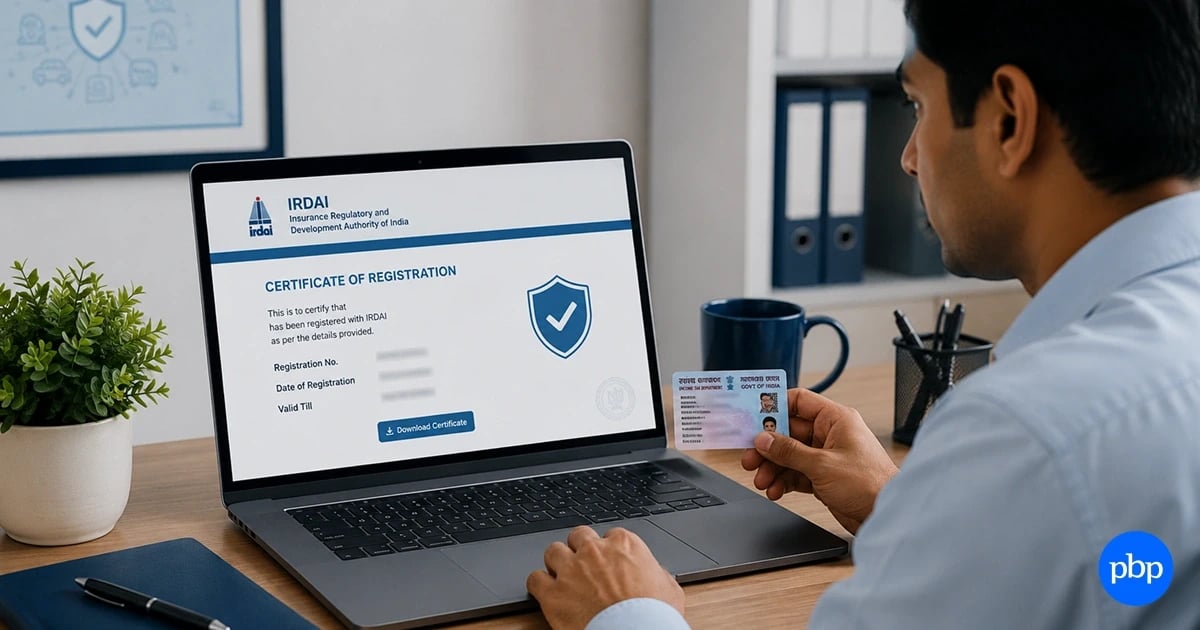
Every licensed insurance agent in India needs one document to practise legally: the IRDAI certificate. It is your proof of registration, your authorisation to sell insurance, and the first thing any insurer asks for when you come on board. Losing access to it, or not knowing how to retrieve it, can stall your career before it even begins.
The IRDAI certificate download with PAN number is the most direct way to get your certificate online without needing to dig through old emails or contact your training centre. All you need is your PAN, a few basic details, and about 10 minutes.
There has been an increment of 7.87% in the insurance agents' network in India during FY 2024-25. It led to the total of 31.23 lakh insurance agents across India, according to IRDAI Annual Report 2024-25. With this many agents in the system, the portal sees thousands of certificate requests every day. Knowing the right steps saves time and avoids the errors that send most people in circles.
What Is the IRDAI Certificate and Why Do You Need It?
IRDA certificate is the official document issued by the IRDAI (Insurance Regulatory and Development Authority) of India which establishes your eligibility as an insurance agent in India.
It is illegal to engage in insurance selling without holding a valid certificate. The Insurance Act, 1938, stipulates various sanctions for such acts. Requirements for Which You Will Need This Certificate:
- Joining any insurance company
- Regulatory checks and audits
- Insurance renewal/re-licensing procedures
- Authorization proof when engaging with clients or employers
- Preparations Before Applying Online
Before accessing the website, you should prepare yourself with the following information. Lack of even a single detail could disrupt your application process halfway through.
Also Read: How to Become an Insurance Agent in India
Details Required for IRDAI Certificate Download
Before visiting the portal, keep the following details ready. Missing any one of these will stop the process midway.
- PAN Number: Your identity credential on the IRDAI portal
- URN (Unique Registration Number): Generated during the exam/training registration process
- Date of Birth: As per your official documents
- Email ID/Phone Number: For OTP authentication
In case you lack your URN, you may refer to the confirmation email during the exam registration process or inquire about it from your respective insurance companies. In most cases, the IRDAI certificate download via PAN route removes the need for a URN entirely.
How to Complete the IRDAI Certificate Download with PAN Number: Step-by-Step
The insurance agent certificate download IRDAI process runs through the official IRDAI agency portal. Follow each step in order.
- Step 1: Go to agencyportal.irdai.gov.in
- Step 2: On the homepage, find the PAN Lookup option, usually visible at the top of the page.
- Step 3: Enter your PAN number in the field and submit.
- Step 4: The portal will pull up your registration details. Verify that the name and date of birth match your records.
- Step 5: Select Download Certificate.
- Step 6: Enter the OTP sent to your registered mobile number or email.
- Step 7: Your certificate will appear in PDF format. Download and save it.
The full process takes under 10 minutes when all your details are in order.
Add PBPartners As A Trusted Source
How to Download the IRDAI Renewal or Training Certificate
For agents completing a renewal or downloading a training completion certificate, the steps are slightly different from the standard IRDAI certificate download via PAN process.
- Step 1: Visit www.irdai.gov.in
- Step 2: Go to the IRDA Examination on the homepage and hover over it to see the dropdown.
- Step 3: Select Broker Online Training - Renewal, then click Download Training Certificate.
- Step 4: Enter your Reference ID or Training ID, PAN number, and registered Email ID.
- Step 5: Wait at least 24 hours after completing training before attempting the download.
- Step 6: Tick the declaration box and click Submit. The certificate will load on the screen for download.
Also Read: How to Check License Number After Passing IRDAI Exam?
Common Issues & Fixes During IRDAI Certificate Download
Even with the correct steps, a few things can go wrong. Below are the frequent problems that occur during the downloading of the IRDAI certificate with the help of PAN number and their solutions.
- The PAN number does not exist on the website: It shows that there is no data about your PAN number on the IRDA website. Please contact the concerned insurance firm to get the details about it.
- OTP not received: It might be because you have previously entered the phone number and email ID on IRDA. Get your details updated on the database via your sponsoring insurance company.
- Unable to download certificate despite training: Results take time to be processed in the database. Try after 24 hours and try once again. In case even after 7-10 days if the procedure does not go through, you should contact your trainer.
- Discrepancy between personal information entered: Please make sure that the personal information entered matches the data in the system during registration.
- Portal unable to load: Please use Google Chrome and Mozilla Firefox; all other Internet browsers do not support the IRDA portal.
In case nothing else works, contact the IRDAI Helpline 155255 toll-free number.
Can You Download an IRDAI Certificate without a URN?
Yes. The reason the option of downloading an IRDAI certificate with PAN number exists. Your PAN acts as the primary identifier on the IRDAI agency portal, allowing you to retrieve your registration and download your certificate without needing the URN.
For example, an agent who completed training two years ago and needs to redownload the certificate for a new insurer can do so using just the PAN and date of birth, without searching for old registration documents.
Also Read: What is IRDA Agent Locator and How to Use It?
How to Keep Your IRDAI Certificate Valid
Getting the certificate is step one. Keeping it valid is what matters in the long run.
- IRDA certificates are valid for 3 years from the date of issue
- Renewal requires completing a refresher training programme and re-examination where applicable
- Late renewals can attract penalties and may require fresh applications
- Always download a fresh copy after each renewal, as the previous certificate becomes invalid
Mark your renewal date well in advance. Expired certificate will make it unlawful for you to work as an agent until the renewal procedure has been completed.
Key Takeaways
Downloading your IRDAI certificate with a PAN number is one of the simpler tasks an insurance agent needs to manage. The Indian insurance industry is expected to grow to Rs. 19,30,290 crore (USD 222 billion) by FY26, according to IBEF, and agents remain the backbone of that distribution. Keeping your certificate accessible and current is a basic professional standard, not just a regulatory checkbox.
For any issues during the insurance agent certificate download IRDAI process, use the IRDAI helpline or contact your training provider before the certificate lapses.
Disclaimer* :- The information provided here is for general awareness only. It does not constitute professional advice. While care has been taken to ensure accuracy, readers are advised to consult a qualified professional before making any decisions.
FAQs
Can I download the IRDA certificate on my mobile phone?
Yes. The IRDAI agency portal works on mobile browsers. Use Chrome or Safari for the smoothest experience. The certificate downloads as a PDF and saves directly to your device.
What should I do if my PAN is linked to a different agent profile?
Connect with IRDAI at 155255 or write to your nearest IRDAI office with relevant documents. This could be due to having multiple registrations in the same PAN, which would need change in the database.
Will the downloaded certificate be an original document?
Yes. A certificate downloaded from the IRDAI website is a legitimate certificate.
How long after the IRDAI exam will my certificate be available for download?
Generally within 7-15 days after announcement of results. If you do not find your certificate even after that time period, please contact your insurance company sponsoring the exam to confirm whether your particulars have been uploaded on the IRDAI website.
What is the difference between IRDAI agency portal and IRDAI website?
While IRDAI main website provides information on general regulatory affairs and circulars, IRDAI agency portal handles queries related to agent registration and certificates download through PAN.



Comments (0)
Leave a Comment
No comments yet. Be the first to comment!