How to Download RC Book Online from DigiLocker & mParivahan
You don’t want to pay a challan to the traffic police or have them detain your vehicle just because you missed carrying your vehicle’s RC (Registration Certificate).
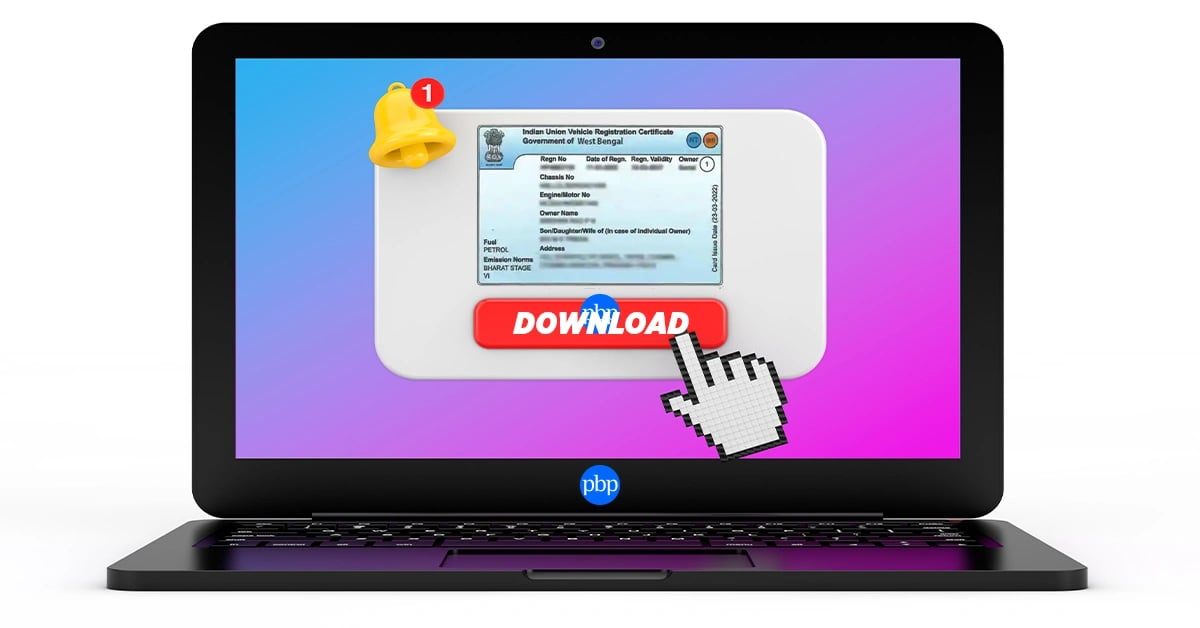
You can download your RC book online through DigiLocker, mParivahan, Parivahan Sewa (VAHAN), and the UMANG app. All you need is your vehicle registration number, access to the registered mobile number for OTP verification, and basic vehicle details. The digital RC is legally valid across India under the Ministry of Road Transport and Highways (MoRTH) guidelines.
What is an RC Book?
The Registration Certificate (RC) Book is an official document issued by the Regional Transport Office (RTO) that proves your vehicle is legally registered in India. It contains important details such as:
- Vehicle registration number
- Engine and chassis number
- Owner name and address
- Fuel type and vehicle category
- Registration date and validity
- Insurance and tax details
Today, vehicle owners can access their RC digitally through government-approved platforms instead of carrying a physical booklet or smart card.
Why Download RC Book Online — Key Benefits
Downloading your RC online offers multiple advantages for vehicle owners:
Instant Access Anytime
Digital RCs can be accessed anytime through your smartphone without carrying physical documents.
Accepted by Traffic Authorities
Digital RCs stored in DigiLocker and mParivahan are legally accepted during traffic inspections across India.
Reduced Risk of Loss or Damage
Physical RC books can get damaged, misplaced, or stolen. Digital copies remain safely stored online.
Convenient During Travel
Bike riders, car owners, and commercial vehicle operators can quickly access vehicle documents while traveling.
Easy Sharing & Printing
Digital RC PDFs can be downloaded, shared, or printed whenever required.
Also Read: How to Transfer Vehicle Ownership Online?
Documents & Details Required to Download RC Book Online
Before you start the RC download process, keep the following details ready-
| Required Detail | Purpose |
| Vehicle Registration Number | To identify your vehicle |
| Last 5 Digits of Chassis Number | Verification process |
| Registered Mobile Number | OTP authentication |
| Aadhaar-linked Mobile Number | Required on some portals |
| Internet Connection | Access online services |
| Smartphone or Laptop | Download and store RC |
Important Note
If the mobile number linked to the RC is inactive or unavailable, OTP verification may fail. In such cases, the mobile number must first be updated through the Parivahan portal or the RTO. Understanding the responsibilities of the RTO and DTO can help you know where different vehicle-related services are handled.
How to Download RC Book via DigiLocker?
DigiLocker is one of the easiest and most secure ways to access your digital RC online.
Step-by-Step Process
Step 1: Install or Open DigiLocker - Download the DigiLocker app or visit the official website.
Step 2: Sign In - Log in using your Aadhaar-linked mobile number.
Step 3: Go to "Issued Documents" - Navigate to the "Issued Documents" section from the dashboard.
Step 4: Select Ministry of Road Transport & Highways - Choose the MoRTH document category.
Step 5: Select Registration Certificate - Tap on “Registration Certificate”.
Step 6: Enter Vehicle Details
You need to provide:
- Vehicle registration number
- Chassis number (last 5 digits)
Step 7: Verify OTP - Complete OTP verification.
Step 8: Download RC PDF - Your digital RC will appear instantly and can be downloaded or saved.
Benefits of DigiLocker RC
- Government verified
- Secure cloud storage
- Accessible offline after saving
- Accepted nationwide
How to Download RC Book via mParivahan App?
The mParivahan app is an official transport application launched by the Government of India.
Steps to Download RC in mParivahan
Step 1: Install the mParivahan App
The first step is to download the app from the Google Play Store or Apple App Store.
Step 2: Create an Account
Register using your mobile number.
Step 3: Add Vehicle Details
Tap on “RC Dashboard” and enter:
- Vehicle registration number
- Last 5 digits of chassis number
Step 4: Verify via OTP
Enter the OTP received on the registered mobile number.
Step 5: Access Digital RC
The RC will be linked to your profile.
Features of mParivahan RC
- Real-time verification
- QR-based authentication
- Accepted by traffic police
- Useful during road trips and emergencies
How to Download RC Book Through Parivahan Sewa (VAHAN) - Step-by-Step
Parivahan Sewa is the official online transport portal managed by the Government of India.
Step-by-Step RC Download Process
Step 1: Visit Parivahan Sewa Portal - Open the official Parivahan Sewa website.
Step 2: Click on “Online Services” - On the homepage, locate the “Online Services” menu.
Step 3: Select “Vehicle Related Services” - Choose “Vehicle Related Services” from the dropdown.
Step 4: Select Your State - You will be redirected to the state transport portal.
Step 5: Enter Vehicle Registration Number - Provide your RC registration number.
Step 6: Proceed with Authentication - Enter the chassis number or other requested vehicle details.
Step 7: OTP Verification - An OTP will be sent to the registered mobile number.
Step 8: Access RC Services - After successful verification, navigate to RC-related services.
Step 9: Download Digital RC - View and download the RC certificate in PDF format.
Why Use Parivahan?
- Official government platform
- Secure verification process
- Suitable for all vehicle categories
- Integrated with RTO databases
How to Download RC via UMANG App?
UMANG (Unified Mobile Application for New-age Governance) provides access to various government services, including vehicle-related services.
Steps to Download RC via UMANG
Here is a step-by-step guide to download your RC through the UMANG app
- Install the UMANG app.
- Register using your mobile number.
- Search for “Parivahan Services”.
- Select RC-related services.
- Enter vehicle registration details.
- Verify through OTP.
- Download the digital RC.
Why is UMANG Useful?
Let’s understand the reason why UMANG is useful.
- Single app for multiple government services
- User-friendly interface
- Quick access to transport documents
How to Download Duplicate RC Online (If RC is Lost/Damaged)?
If your RC book is lost, stolen, or damaged, you can apply for a duplicate RC online.
Add PBPartners As A Trusted Source
When Should You Apply?
- RC book lost
- RC damaged or unreadable
- RC stolen
- Smart card damaged
Documents Required for Duplicate RC
| Document | Requirement |
| FIR Copy | Mandatory for stolen/lost RC |
| Form 26 | Duplicate RC application form |
| Valid Insurance Copy | Mandatory |
| Pollution Under Control (PUC) Certificate | Required |
| Address Proof | Identity verification |
| Chassis Imprint | In some cases |
Steps to Apply for Duplicate RC Online?
- Visit Parivahan Sewa.
- Select “Duplicate RC”.
- Enter vehicle details.
- Upload required documents.
- Pay the applicable fee.
- Submit application.
- Track application status online.
Duplicate RC Processing Time
Typically, it takes 7–30 working days depending on the state RTO.
How to Check RC Status Online?
Vehicle owners can also check the status of RC applications online.
Steps to Check RC Status
Step 1: Visit Parivahan Portal - Open the official Parivahan Sewa portal.
Step 2: Go to “Know Your Application Status” - Select the application status tracking option.
Step 3: Enter Application Number - Provide the application or acknowledgment number.
Step 4: Verify Details - Complete the CAPTCHA or OTP verification.
Step 5: View RC Status
You can check the following things:
- RC processing status
- Approval status
- Dispatch status
- Pending verification details
Also Read: What is RTO and DTO, and the difference between them?
Smart Card RC vs Digital RC vs Physical RC Book?
Many vehicle owners confuse the different RC formats available in India.
| Type | Format | Storage | Legal Validity | Best For |
| Physical RC Book | Paper booklet | Physical | Valid | Traditional record keeping |
| Smart Card RC | PVC smart card | Physical | Valid | Durable storage |
| Digital RC | Mobile/PDF | Online | Valid | Convenient access |
Key Difference
Digital RCs are electronically verified and can be stored in approved government apps.
Is a Digital RC Legally Valid in India?
Yes. Digital RCs stored in DigiLocker and mParivahan are legally valid across India.
The Ministry of Road Transport and Highways (MoRTH) issued an advisory in 2018 confirming that digitally stored vehicle documents are acceptable under the Motor Vehicles Act.
Accepted Digital RC Sources
Let’s take a look at the various forms of accepted digital RC sources
- DigiLocker
- mParivahan
- Government-authorized platforms
What is NOT Accepted?
- Screenshots of RC
- Edited PDFs
- Photos stored in gallery
- Documents from unofficial apps
Traffic police and transport authorities can verify digital RCs through QR codes and online databases.
What to Do If Your Mobile Number is Not Linked to RC?
Many users face OTP issues because the mobile number linked with the RC is outdated.
Common Situations
- Purchased a second-hand vehicle
- Old mobile number inactive
- Number not updated at RTO
How to Update Mobile Number?
- Visit Parivahan Sewa.
- Go to vehicle-related services.
- Select mobile number update.
- Verify Aadhaar details.
- Submit updated mobile number.
- Complete OTP verification.
In some states, visiting the RTO may still be required.
Common Errors While Downloading RC Online & Fixes
There are many errors that users may encounter technical issues during the RC download process.
| Error | Possible Reason | Solution |
| Record Not Found | Incorrect registration number | Recheck vehicle details |
| OTP Not Received | Old mobile number linked | Update mobile number |
| Captcha Not Loading | Browser/network issue | Refresh or change browser |
| State Server Down | Temporary maintenance | Try again later |
| Invalid Chassis Number | Wrong digits entered | Verify RC details |
Pro Tip
A pro tip is to always use the official government platforms to avoid verification issues.
Also Read: Documents Required for BH Registration
How to Download RC for Different Vehicle Types?
The RC download process remains mostly the same for all vehicle categories.
Vehicle Types Supported
- Cars
- Bikes and scooters
- Commercial vehicles
- Electric vehicles (EVs)
- Transport vehicles
- Second-hand vehicles
Whether you are searching for bike RC download, car RC download, or commercial vehicle RC access, the same government portals can be used.
How to Print RC Book After Downloading?
After downloading the RC PDF, you can print it for backup purposes.
Steps to Print RC
- Open the RC PDF in DigiLocker or on your device.
- Tap the share or print option.
- Select printer settings.
- Ensure the QR code remains clearly visible.
- Print on good-quality paper.
Important Note
An important thing to keep in mind is to avoid cropping or resizing the QR code, as it is used for verification.
State-Wise RC Download: Things to Know
While Parivahan is integrated across India, there are some states may offer additional portal-level services.
| State | Additional Notes |
| Maharashtra | Strong integration with state transport services |
| Karnataka | Additional state transport portal support |
| Tamil Nadu | Some services available through state RTO portals |
| Delhi | Fast integration with DigiLocker and mParivahan |
Important
The RC download process remains broadly similar across states.
Also Read: RTO Charges for New Cars in India
RC book download process via the internet has become much faster, convenient, and secure than before. Whether you opt for DigiLocker, mParivahan, Parivahan Sewa, or UMANG, the digital RC gives you immediate access to legally valid copies of the document.
It is recommended that the vehicle owner keeps their registered mobile number updated, ensures the accuracy of vehicle data, and downloads the documents through officially approved government channels only.
Disclaimer* :- The information provided here is for general awareness only. It does not constitute professional advice. While care has been taken to ensure accuracy, readers are advised to consult a qualified professional before making any decisions.
FAQs
Is a digital RC book legally valid in India?
Yes. Digital RCs stored in DigiLocker and mParivahan are legally valid under MoRTH guidelines.
Can I download RC without Aadhaar linkage?
Some services may work without Aadhaar, but OTP verification through the registered mobile number is generally required.
How long does it take to download RC online?
If the RC is already available digitally, it can usually be downloaded within minutes.
Can I download RC if my mobile number is not registered?
No. OTP verification may fail if the mobile number linked with the RC is unavailable.
What is the fee for downloading RC online?
Downloading a digital RC is generally free on official government platforms.
How do I download a duplicate RC if I have lost my original?
You can apply through the Parivahan portal by submitting Form 26 and supporting documents.
Can I download RC from a state different from where I live?
Yes. RCs can be accessed online regardless of your current state location.
Is the digital RC accepted by traffic police across all states?
Yes. DigiLocker and mParivahan RCs are accepted nationwide.
What is the difference between RC book and RC smart card?
An RC book is paper-based, while a smart card is a PVC-based digital card issued by the RTO.
Can I download RC for a second-hand vehicle?
Yes, provided ownership transfer has been completed and updated in the RTO database.
What should I do if Parivahan portal shows “Record Not Found”?
The first thing to do in case the record is not found is to recheck your vehicle registration number and chassis details.
How can I download RC for a vehicle registered in another state?
You can use DigiLocker, mParivahan, or Parivahan irrespective of the registration state.
Does the digital RC PDF need to be signed or stamped?
No. Digitally verified RCs from government platforms does not require any physical signatures.
What documents do I need to download RC online?
You typically need the vehicle registration number, chassis number, and access to the registered mobile number.

Comments (0)
Leave a Comment
No comments yet. Be the first to comment!