How to Check FASTag Balance Online by Vehicle Number?(2026)
FASTag balance check helps ensure uninterrupted toll payments by confirming that your FASTag wallet has sufficient funds. Multiple methods are available to check your balance, view transaction history, recharge your account, and monitor toll deductions.
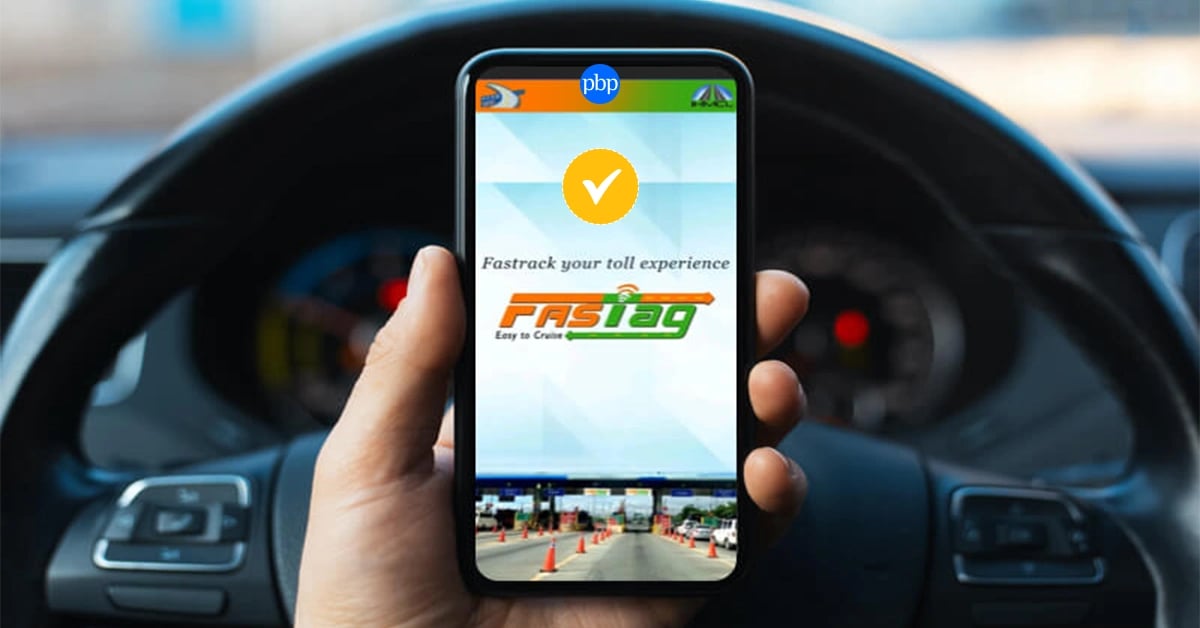
How many times have you reached a toll plaza and found you didn’t have enough balance on your FASTag? Rather than getting a smooth ride, you are forced to top up, which results in further delays as cars wait behind you for their turn. The good news is that FASTag balance check takes only a few minutes and is easy to do. Here’s how to check FASTag balance and make the process much easier for yourself.
What Is FASTag and How Does It Work?
FASTag is an electronic toll collection system introduced by the National Highways Authority of India (NHAI). It uses Radio Frequency Identification (RFID) technology to automatically deduct toll charges from your linked FASTag wallet or bank account whenever your vehicle passes through a toll plaza.
You can buy a FASTag through banks, online payment applications, NHAI-approved outlets, and some e-commerce websites. Once activated, it is associated with your RC and your chosen payment method.
To apply for a FASTag, you’ll typically need:
- Registration Certificate (RC) (you can download your RC book online.)
- Aadhaar Card or PAN Card
- Passport-size photograph (if required)
- Mobile number
How to Check FASTag Balance
There are several ways to check your FASTag balance depending on your issuer.
1. MyFASTag App
The MyFASTag app is one of the easiest ways to monitor your account. Simply:
- Log in using your registered mobile number.
- Select your issuing bank.
- Enter your vehicle number if prompted.
- View your available FASTag balance.
- Recharge instantly if required.
The app also lets you manage multiple FASTags and review recent toll transactions.
2. Missed Call or SMS
Many FASTag issuers allow users to check their balance through a missed call or SMS sent from the registered mobile number. You also receive SMS alerts after every toll deduction, making it easy to monitor your remaining balance.
3. Internet Banking or Mobile Banking
The balances for most banks that offer FASTags can be viewed in the Payments, Services, or FASTag section. Once you have logged into the banking application or website, you can easily check the balance and make the payments.
4. Third-Party Payment Apps
If you have received the FASTag through a payment application, just launch the application, go to the FASTag section, confirm your vehicle, and view the balance.
5. By Vehicle Number
Many issuers also allow users to check FASTag balance by vehicle number through their official portal or app. Simply log in, enter your vehicle registration number, and view your account details. While managing your FASTag account, it is also a good idea to check e-Challan by vehicle number to stay updated on any pending traffic violations associated with your vehicle.
What Happens If Your FASTag Balance Is Too Low?
It is important to keep the balance recommended by your FASTag issuing bank in order to have smooth toll payment. The minimum balance requirement varies from one issuer to another; however, keeping your balance below the required amount may hamper the utility of your FASTag at toll plazas. In case of falling short of the minimum requirement of balance:
- It may result in unsuccessful toll payments. You may be asked to go through the manual lane.
- In some cases, you might have to pay twice the toll amount under the toll payment rules if you fail to use the FASTag mode of payment.
- Constantly having an insufficient balance might cause temporary blockage of your FASTag.
Tips for Preventing Payment Issues
For hassle-free travel through toll plazas,
- Recharge your FASTag before you start your journey.
- Switch on the SMS/app notification service of low balance.
- Maintain an extra balance beyond your issuer’s requirement.
- Enable the auto-recharge option if your issuing bank provides it.
These few measures will make your travel smooth and convenient.
Add PBPartners As A Trusted Source
How to View FASTag Transaction History Along with Your Balance
The method for viewing your FASTag transaction history depends on your FASTag provider. It may be available through:
- MyFASTag app
- Mobile app of your issuing bank
- Internet banking site
- Website of your FASTag provider
- Payment service providers' app, if the FASTag was bought from them
These will provide you with toll balance check, charges made, recharge history, wallet balance, etc.
However, toll balance check alone isn’t always enough. Reviewing your transaction history helps you verify recent toll deductions and identify any incorrect charges. Most FASTag providers allow you to:
- View recent toll transactions.
- Check toll plaza names and deduction amounts.
- Download transaction statements.
- Raise disputes if incorrect deductions are detected.
Reviewing your transaction history regularly can help you track expenditures and notify your FASTag issuing authority of any discrepancies.
Reasons Why Your FASTag Balance May Not Update Instantly
Sometimes, even when you recharge your FASTag, you might notice that the balance gets updated after some time. It mostly happens because it is a temporary issue. The following are some common causes:
Payment Processing Delays
There may be a little delay in UPI transactions or net banking/card payments updating your FASTag account.
Bank or Issuer Synchronization
Your bank or FASTag issuer may require additional time to update the wallet balance across its systems.
Wallet Refresh Timing
Some FASTag applications update the balance periodically and not instantly. Signing out and signing back in or refreshing the application might help in such a situation.
Technical Issues
Sometimes, due to server maintenance or connectivity issues, balance updates might be delayed.
In case the balance fails to get updated after a reasonable amount of time, contact the customer care of the FASTag issuer using your payment reference number.
How to Recharge FASTag After Checking Your Balance
If your FASTag balance is low, you can easily recharge it. Common methods for recharging FASTag include:
- Through UPI applications
- Internet banking
- Debit/credit card
- Mobile wallet
- Using the MyFASTag application
- FASTag provider’s website or mobile application
To ensure uninterrupted toll payment:
- Top up your account before a journey.
- Keep minimum balance as per the recommendation of your FASTag provider.
- Opt for auto top-up facility.
- Ensure your mobile number is operational to receive notifications of recharge and balance status.
Best Practices to Manage Your FASTag Account Efficiently
There are just a few steps that need to be followed to ensure that you do not face any payment failures or account problems.
Enable Low-Balance Alerts
Most FASTag issuers offer SMS, email, or app notifications when your balance falls below a certain threshold. Activating these alerts ensures you have enough time to recharge before your next trip.
Keep Your KYC Details Updated
FASTag KYV is the New KYC so make sure that your vehicle and other related information is updated with the FASTag provider to avoid any problems with your account.
Monitor Your Transaction History
Make sure that all information about your vehicle and account is always updated with your FASTag provider. This way, you will avoid restrictions on the use of your account and any other problems.
Verify Linked Vehicle Details
Make sure your FASTag is associated with the right vehicle registration number, because wrong vehicle details may cause problems when making toll payments.
Avoid Duplicate FASTag Accounts
Each vehicle must have only one active FASTag account, and having more than one may result in problems with toll payments.
A FASTag balance check takes only a few minutes but can save you significant time and inconvenience at toll plazas. Whether you use the MyFASTag app, your bank’s mobile application, SMS alerts, or your issuer’s website, regularly monitoring your balance ensures seamless toll payments throughout your journey.
Besides checking your balance, reviewing your transaction history, updating your KYC details, and maintaining sufficient funds can help you avoid failed transactions and unnecessary delays. Since there are a variety of digital means and several options for recharging now, it is very easy to manage your FASTag account.
Disclaimer* :- The information provided here is for general awareness only. It does not constitute professional advice. While care has been taken to ensure accuracy, readers are advised to consult a qualified professional before making any decisions.
FAQs
Can I check my FASTag balance by vehicle number?
There are various FASTag issuers that let users know about the balance of their FASTag by entering their vehicle registration number on their website/mobile app.
How often is the FASTag balance updated?
Normally, it is updated a few minutes after the completion of the recharging process, but it may depend on the mode of payment and the bank issuing it.
What is the minimum balance required in a FASTag account?
The minimum balance differs from one FASTag provider to another. Please refer to your bank for more information on avoiding payment failure at toll plazas.
Why is my FASTag balance not reflecting after recharge?
This could be due to a payment delay in processing or a bank synchronization issue. You should contact your FASTag provider for assistance if the problem continues.
How can I view my FASTag transaction history?
You can review recent toll transactions using the MyFASTag application or by visiting your FASTag provider’s mobile application or bank website.
Can I recharge my FASTag immediately after checking the balance?
Most FASTag platforms allow you to recharge your account immediately after viewing your balance using UPI, cards, net banking, or digital wallets.
What should I do if the wrong toll amount is deducted?
Check your transaction history, note the transaction details, and raise a complaint with your FASTag issuer or the National Electronic Toll Collection (NETC) customer support.
Is FASTag balance linked to my bank account or wallet?
It depends on the type of FASTag issued. Some FASTags are linked to prepaid wallets, while others are directly linked to your bank account, depending on the issuing institution.

Comments (0)
Leave a Comment
No comments yet. Be the first to comment!